Point of sale that keeps up
Tap tiles or scan barcodes. Line and bill discounts, tax, walk-in or named customers, hold and resume bills, split payments across cash, card and mobile banking, quick-cash buttons, change due.
Retail & super shop management · Windows, macOS, Linux
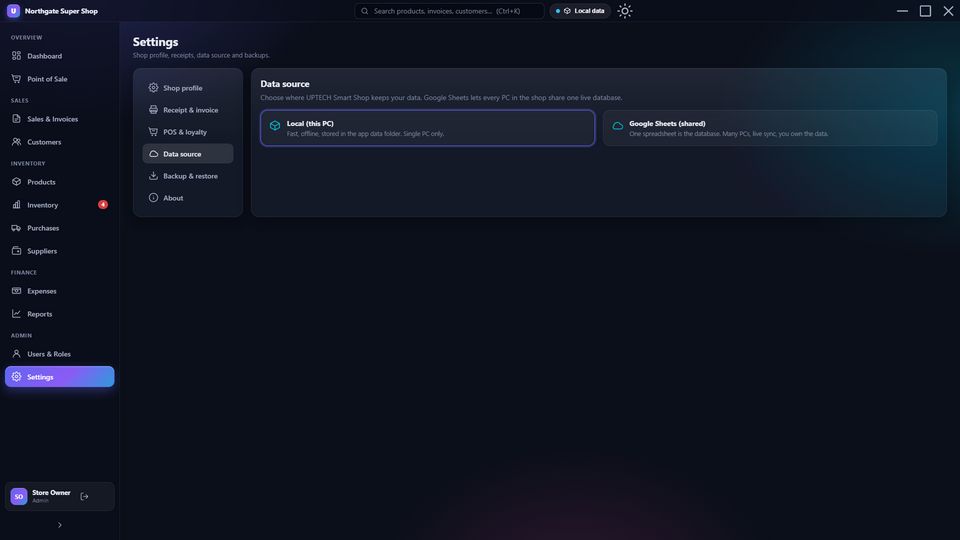
Point of sale, inventory, invoices, purchases, customers, expenses and reports in a fast, beautiful desktop app. No database server. No hosting. No monthly fee. Every PC in your shop works on one live Google Sheet, kept safe by your own Google account.
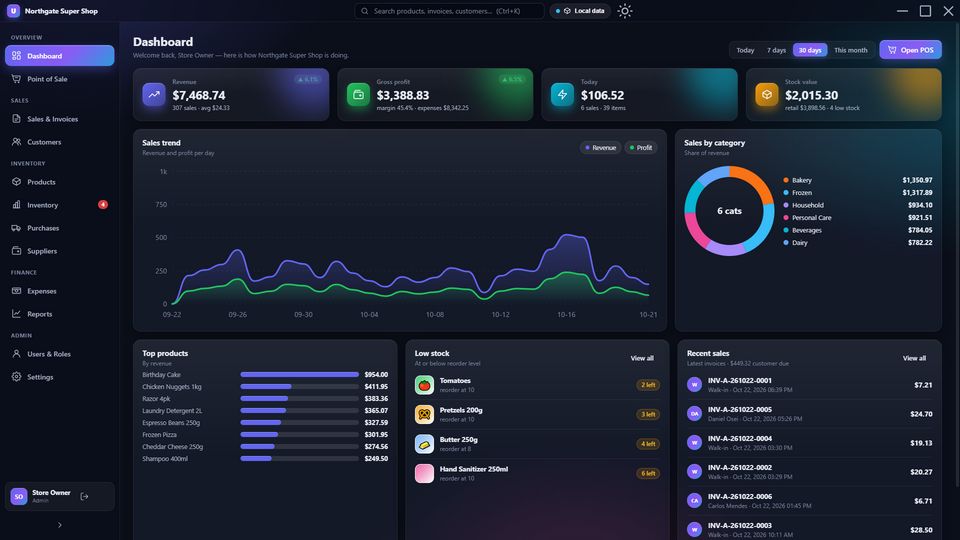
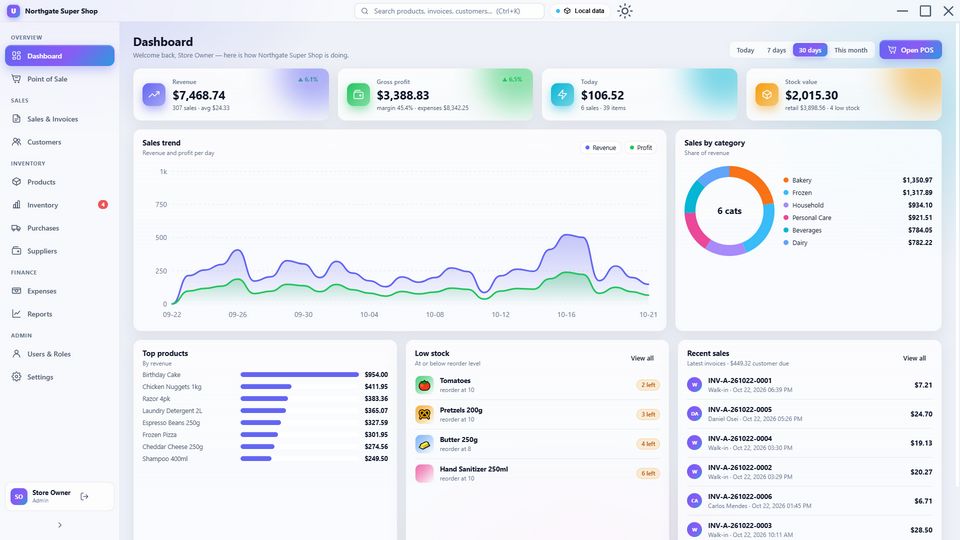
These are untouched screenshots of UPTECH Smart Shop. Click any one to see it full size, or open the live demo and click around yourself.
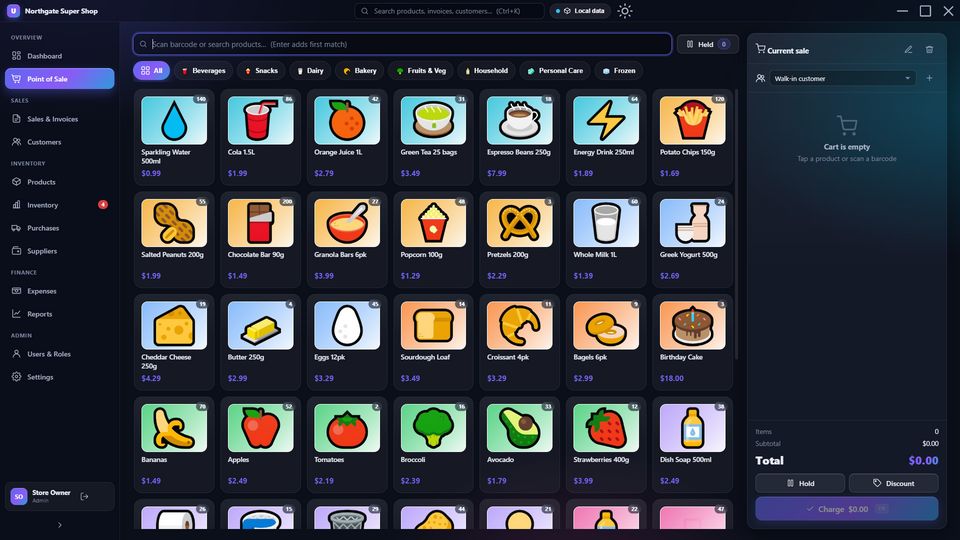
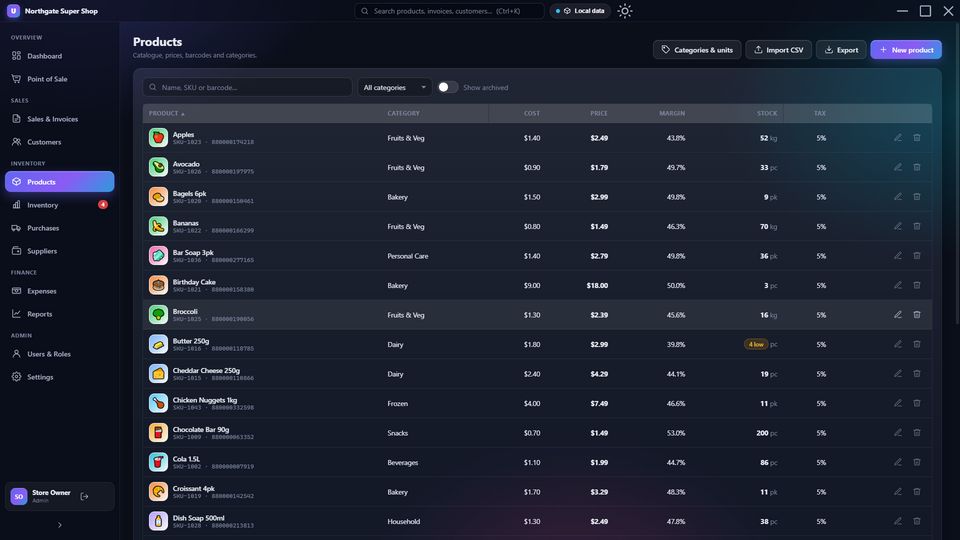
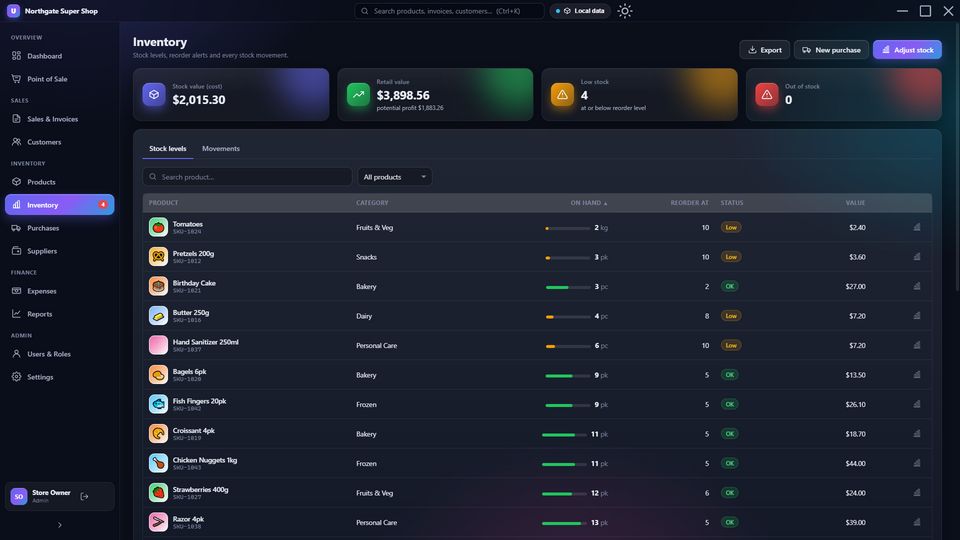
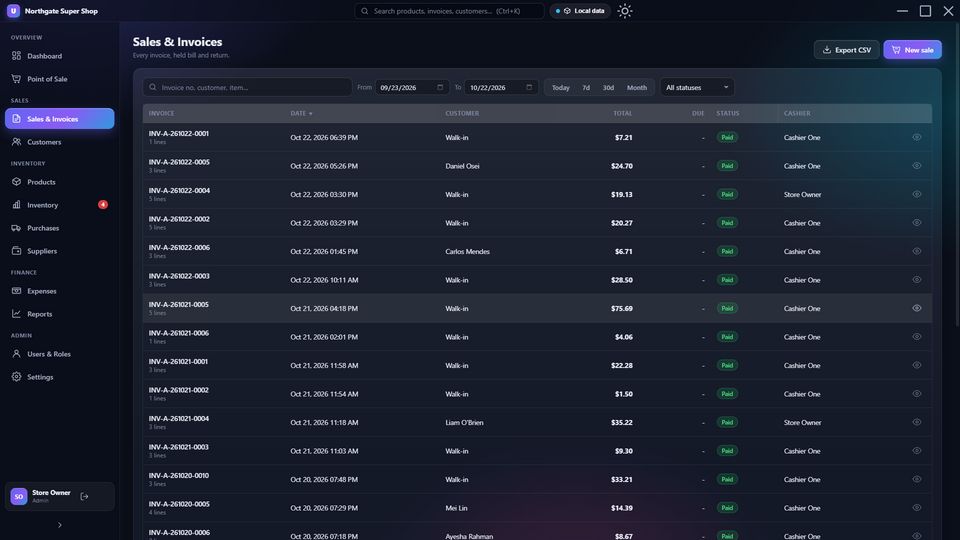
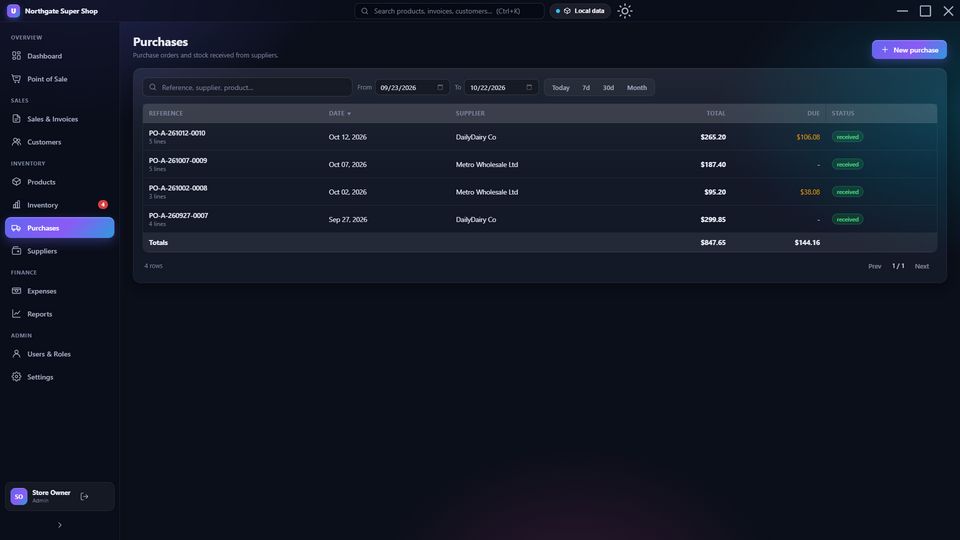
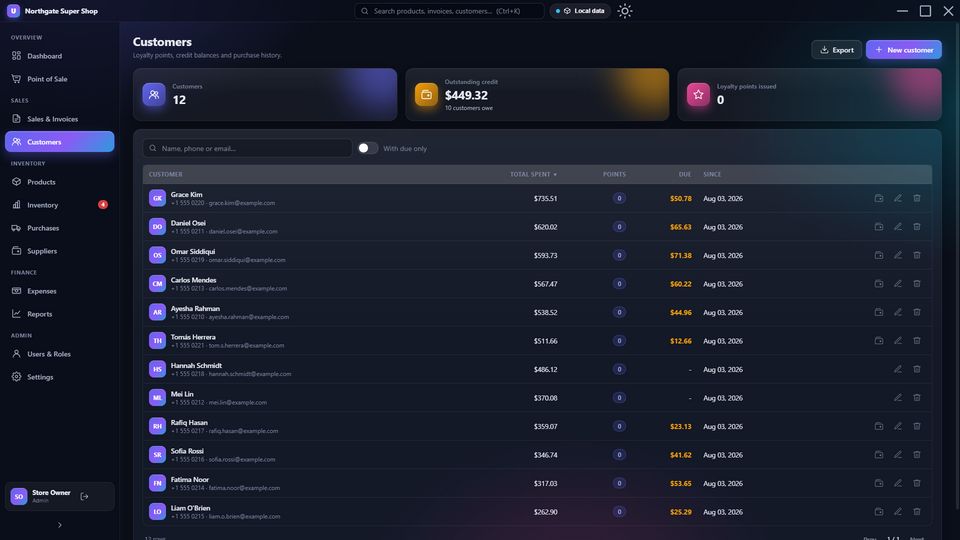
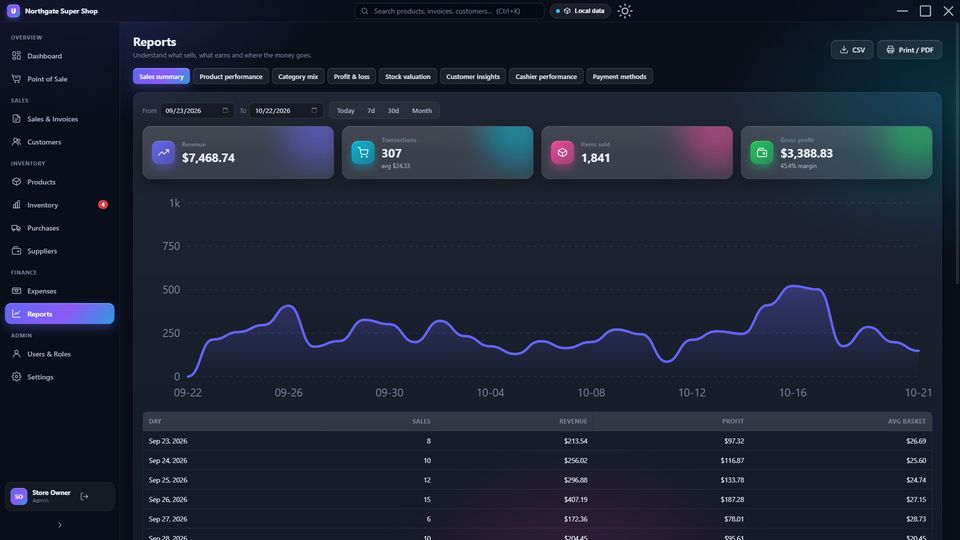
Built for mini-marts, super shops, grocery, pharmacy counters, hardware stores, boutiques: any business that sells from shelves.
Tap tiles or scan barcodes. Line and bill discounts, tax, walk-in or named customers, hold and resume bills, split payments across cash, card and mobile banking, quick-cash buttons, change due.
80 mm and 58 mm thermal receipts printed silently to the till printer, plus clean A4 PDF invoices for customers who need one.
Upload a photo once and it appears on every till. Photos are auto-cropped and shrunk so they sync in seconds.
Live stock on every sale, purchase and return. Reorder alerts, counted adjustments with reasons, stock value at cost and retail, a complete movement ledger.
Raise orders, receive stock, track what you owe each supplier and pay it down. Costs update automatically.
Points on every purchase, credit sales with balance tracking, payment collection, full history per customer.
Partial or full returns straight from the invoice. Stock comes back, refunds are recorded, customer due drops.
Rent, salaries, utilities, anything. See gross and net profit for any date range, not just revenue.
Sales summary, product performance, category mix, profit & loss, stock valuation, customer insights, cashier performance, payment methods. Print or export every one.
Owner, Manager and Cashier with PIN sign-in. Cashiers see the till; owners see everything. PINs are stored hashed, never in plain text.
Any USB barcode scanner, any Windows printer, any PC from the last ten years. No special terminal to buy.
A frameless window with glass panels, gradient accents and animated charts that looks like a product, not a spreadsheet.
Most shop software makes you rent a server or pay every month to keep your own sales data. UPTECH Smart Shop does neither.
A 200-line Google Apps Script (included) turns the sheet into a private API with its own secret key. Set-up takes about five minutes: paste, deploy, copy two values into Settings.
Cloud POS systems charge every month, per till, and hold your data hostage. UPTECH Smart Shop is a one-time purchase that runs on PCs you already own.
Install, sign in, add products (or import a CSV), connect your sheet. Most shops are selling the same afternoon.
Zero runtime dependencies and no framework: nothing to update, nothing to break, instant startup even on an old till PC.
Cashiers tap in with a four-digit PIN and see only the till. Owners get the whole picture, from any PC.
Glass panels, soft gradients and smooth animations in both themes. Switch with one click; each PC remembers its choice.
Run the installer (or the portable exe) on each till and office PC. Sign in with the owner PIN.
Type them in with photos and barcodes, or import your existing list from a CSV in one go.
Create a blank sheet, paste the included script, deploy, copy the URL and key into Settings. The in-app wizard walks you through it.
Scan, tap, charge, print. Watch the dashboard update on every PC.
Prefer to try before you connect anything? UPTECH Smart Shop starts in Local mode with a full sample shop, no Google account needed.
Buyers receive the entire project: readable, framework-free JavaScript with a guided codebase document, not a minified blob.
UPTECH Smart Shop full source licence
One-time
No subscription, no per-till fee, no hosting bill
No. You create a blank sheet and paste one script. UPTECH Smart Shop creates every tab and column for you and keeps them in order. You never edit cells by hand (though you can look at them any time).
The sheet is private to your Google account, the same protection your Gmail has. The app talks to it through a script that only answers requests carrying your secret key. Nobody else, including us, can see it.
Each PC keeps a local copy and queues its changes. Selling continues. When the connection returns, everything syncs automatically.
As many as you like. Give each till its own terminal letter so invoice numbers never collide. Google's free quota comfortably covers a busy small shop.
Any USB barcode scanner that types into a text box (that is nearly all of them) and any printer Windows can print to, including 80 mm and 58 mm thermal receipt printers.
Yes. Currency symbol, default tax rate, payment methods, loyalty rules and receipt footer are all in Settings. The demo uses dollars; a Bangladeshi shop would set ৳ and add bKash and Nagad as payment methods in ten seconds.
Yes. The source includes build commands for macOS (dmg) and Linux (AppImage, deb). The browser build runs anywhere.
Yes. The code is plain JavaScript with no framework and a guided codebase document. Adding a screen is one file plus one line.
Try the demo with a full sample shop. If it feels right, it is yours in one payment.